Furnace limit switch keeps tripping: a safe diagnostic
Quick answer
A furnace limit switch that keeps tripping is reporting an overtemperature condition or an open safety circuit; it does not prove the switch is defective. Record the exact model and fault definition, then note when the burners stop and what the blower does. Homeowners can check only the owner-access filter and unobstructed grilles as the furnace manual permits. Repeated trips, any rollout fault, or a returning code needs qualified HVAC service. Never bypass, relocate, substitute, or repeatedly reset a safety switch.
Common questions
- Why does my furnace high limit switch keep tripping?
- A high-limit trip means the safety circuit detected excessive temperature or remained open when the control expected it closed. Restricted airflow is a common branch, but blower performance, the indoor coil, ducts, zoning, furnace setup, heat input, wiring, or the switch may be involved. The exact model code and measurements are required to identify the cause.
- How can I tell a high-limit trip from a flame-rollout trip?
- Do not identify the switch by appearance or a generic flash chart. Use the code wording in the manual for the complete furnace model. A confirmed rollout or manual-reset burner-area safety is a combustion warning: leave the furnace off and have a qualified technician investigate without resetting it.
- Will changing the filter reset a furnace limit switch?
- Replacing a dirty owner-access filter with the exact type specified by the manufacturer may remove one visible airflow restriction, but it does not prove the trip is resolved. Do not reset the furnace repeatedly. If the fault returns, leave the heat off and arrange service.
- Can a bad limit switch cause repeated trips?
- A switch or its circuit can fail, but repeated operation alone cannot distinguish a defective switch from real overheating. A technician should first verify the fault definition, airflow, temperature rise, heat input, wiring, and model-specific switch operation before condemning the part.
Source note: Reviewed October 2026 against current Trane and Carrier limit-switch guidance, the Goodman/Amana/Daikin GR9S80/AR9S80/GD9S80/AD9S80/VR9S80/VD9S80 service manual, and U.S. Consumer Product Safety Commission carbon-monoxide guidance. Fault definitions, switch arrangements, airflow, temperature rise, heat input, and test procedures are model-specific; the current manual and rating plate for the complete installed model control.
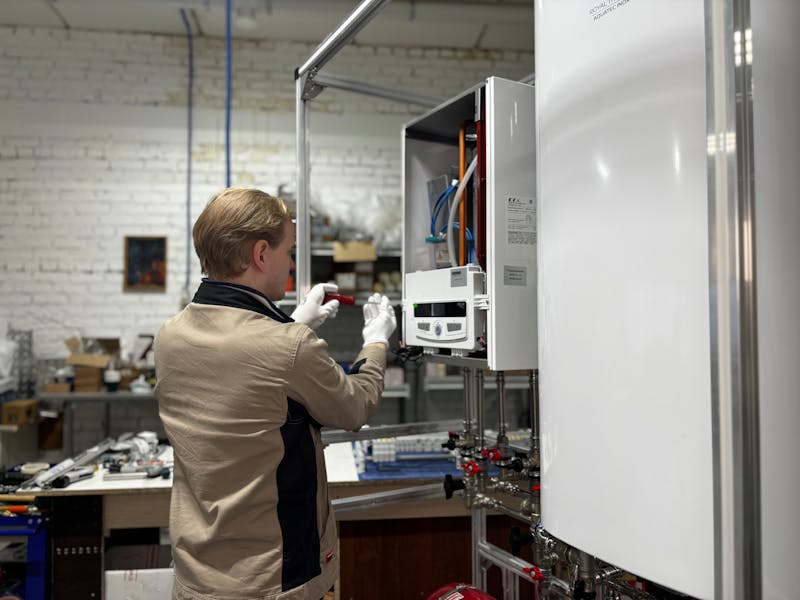
If your furnace limit switch keeps tripping, a safety circuit is interrupting heat. The event may reflect overheating, an open circuit, or a control fault; it does not prove the switch is bad.
Record the exact code and operating sequence, check only normal owner-access airflow items allowed by the furnace manual, and schedule service if the fault repeats. Never bypass, jumper, relocate, substitute, or repeatedly reset a limit or rollout switch.
Check the emergency boundary first
Get everyone outside and call 911 or the gas utility from outdoors if a carbon-monoxide alarm sounds, anyone has possible CO symptoms, you smell gas, or you see smoke, soot, or flame outside its normal enclosed location. Do not operate switches or search for the source.
Use the carbon-monoxide and HVAC safety guide for evacuation details. A limit code is not proof that combustion equipment is safe.
Leave the furnace off and request urgent qualified service if the exact manual identifies a flame-rollout, burner-area, or other manual-reset safety. Do not press a reset button to see whether the fault returns.
What a repeated high-limit trip means
During a typical gas-furnace heat call, the burners heat the heat exchanger and the circulating blower moves household air across it. A high-limit control opens its circuit if temperature at its sensing location exceeds the furnace’s designed boundary. The burners stop, while the blower may continue moving air to cool the furnace.
Many primary limits reset automatically after cooling, so the furnace may retry while the thermostat is still calling. A possible pattern is established heat, burners off, blower still running, then another attempt. It is not a universal diagnosis.
Fault wording varies. A control may report an open circuit containing several safeties or store a code after the display changes. Find the complete model number in owner records or on a safely accessible label, then use its current manual instead of a generic flash-code chart.
High limit vs. rollout, pressure switch, and flame sensor
Classify the point where heat stops before naming a failed part.
| Observed pattern from outside the assembled furnace | Diagnostic branch | Safe next step |
|---|---|---|
| Burners run during an established heat call, then stop while the blower continues; heat may retry after cooling | The exact code may identify a high-limit or open-limit event | Preserve the code and timing, check only documented owner-access airflow items, and arrange service if it returns |
| The manual identifies flame rollout, a burner-area limit, or a manual-reset safety | Combustion, venting, heat input, or another burner-area condition may be involved | Leave the furnace off; do not reset it or draw a heat-exchanger conclusion yourself |
| The inducer starts, but ignition never begins | Draft proof, intake, exhaust, condensate, wiring, or control may have stopped the sequence | Follow the pressure-switch diagnostic without opening the cabinet |
| Burners light and shut off shortly afterward, before normal heating is established | Flame proof, grounding, fuel, ignition, or another safety branch may be involved | Use the flame-sensor symptom guide and leave internal testing to a technician |
| The thermostat stops calling before the burners stop | Schedule, sensor location, zoning, setup, or normal satisfaction may be ending the call | Save thermostat and zone details; do not label it a limit trip without fault evidence |
| Warm air turns cool but the blower continues | The heat source stopped while air movement continued | Use the furnace blowing-cold-air guide to classify the timing |
If the only symptom is repeated starting and stopping, begin with the broader furnace short-cycling diagnostic. This page owns a limit fault confirmed by the furnace’s model-specific documentation.
Six safe observations before the service call
1. Preserve the exact fault
Photograph the visible display or flash pattern before interrupting power. Write down the complete furnace model, where the alert appeared, and the manual’s exact definition. If the code is not safely visible with the cabinet assembled, wait for the technician.
2. Capture burner and blower timing
Observe one normal call from outside the closed furnace or through a factory viewing port, if provided. Note when the thermostat calls, heat begins, the blower starts, the burners stop, the blower stops, and another attempt begins. Do not remove a door or hold a door switch closed.
3. Check only the specified owner-access filter
Follow the owner’s manual for filter location, access, size, type, orientation, and replacement. Do not enter a service compartment, run without a filter, stack filters, or substitute a more restrictive filter because it fits.
The HVAC filter guide explains selection boundaries. A clean filter is useful evidence, but it does not clear an active safety fault.
4. Look at normal room-side airflow paths
Note furniture, rugs, or stored items covering return grilles or supply registers. Restore only the normal arrangement documented for the system; do not change balancing dampers, zone controls, blower settings, or hidden ductwork.
5. Record recent changes
Tell the technician if the problem followed a filter change, duct or zone work, thermostat replacement, installation, cooling-coil work, renovation, an outage, or maintenance.
6. Stop after a repeated event
Do not keep cycling power to make the furnace run. Repeated resets can erase useful fault history or allow another overtemperature event. Use a safe alternate heat plan and arrange qualified service.
What causes a high limit switch to trip?
The following are technician test branches, not conclusions from the code alone:
- Restricted airflow: an incorrect or loaded filter, obstructed return, closed supply path, dirty blower wheel, dirty indoor coil, restrictive duct system, or zone configuration can reduce heat removal.
- Blower or control performance: the motor, wheel, electrical components, programmed airflow, wiring, or control may not deliver the model’s required airflow.
- Installation and distribution: duct capacity, return configuration, filter design, equipment size, zoning, or commissioning may be mismatched.
- Heat input or combustion: incorrect input, fuel setup, burner operation, venting, or combustion conditions require model-specific instruments and qualified procedures.
- Safety circuit condition: wiring, connections, the control board, or the limit itself can fail, but only after actual temperature and airflow conditions are verified.
A tripping limit neither diagnoses nor rules out a cracked heat exchanger. That conclusion belongs to a qualified technician following manufacturer procedures.
What the HVAC technician should verify
Ask for a diagnosis tied to measurements and the exact model literature:
- Retrieve fault history and reproduce the stopping point without bypassing a safety.
- Confirm which device or circuit opened and what the model manual says that code covers.
- Inspect the specified filter, blower, indoor coil, ducts, returns, supplies, dampers, and zoning.
- Measure total external static pressure, airflow, and temperature rise, then compare them with the installed model’s rating plate and performance tables.
- Verify programmed blower operation, heat input, gas and burner operation, venting, combustion, and safety controls as applicable.
- Test the limit and its wiring under the manufacturer’s procedure only after determining whether the furnace is actually overheating.
- Correct the cause, restore every panel and safety, and document complete heat cycles after repair.
The Goodman/Amana/Daikin service manual for covered GR9S80, AR9S80, GD9S80, AD9S80, VR9S80, and VD9S80 furnaces illustrates why the exact manual matters. For those models, the primary limit is a nonadjustable automatic-reset control, and the troubleshooting path connects duct static, temperature rise, filter and duct restrictions, blower performance, and limit testing. Its values and procedures must not be transferred to another furnace.
The HVAC static-pressure workflow explains the evidence a technician should document; it is not a homeowner test procedure.
Technician handoff checklist
Send the service company these details before the visit:
- Furnace brand, complete model, fuel type, and approximate installation date
- Code wording or flash pattern and the model manual used to identify it
- Thermostat mode, setpoint, room temperature, fan setting, and active zones
- Burner, blower, shutdown, retry, and lockout timing
- Whether the thermostat was still calling when the burners stopped
- Filter size, type, orientation, condition, and last replacement date
- Covered grilles and recent filter, duct, zone, thermostat, or equipment changes
- Any CO alarm, gas odor, smoke, soot, abnormal flame, water, or unusual sound
Save the timeline in the HVAC maintenance log. The goal is to help the technician reproduce the fault safely, not to preselect a replacement switch.
Sources and image credit
- Trane: Furnace limit switch safety and symptoms
- Carrier: Furnace limit switch guide
- Goodman/Amana/Daikin: GR9S80 and related 80% single-stage furnace service manual
- U.S. Consumer Product Safety Commission: Carbon monoxide information center
- Image: MОБО Модульные Котельные on Pexels
Your next step
Save the exact model, code, and burner/blower timeline. Check only the filter and visible grilles that the owner documentation allows, then schedule qualified service if the limit fault returns. Leave the furnace off for any rollout code, repeated overheating, CO alarm, gas odor, soot, smoke, or abnormal flame.
Continue the furnace safety diagnostic path
Use these resources to classify the stopping point, document airflow evidence, protect occupants, and prepare a model-specific service handoff.
- Furnace short-cycling diagnostic
Start with the broader timing workflow when a limit code has not been confirmed.
- HVAC filter guide
Confirm the specified filter size, type, orientation, and owner-access replacement boundary.
- Carbon monoxide and HVAC safety
Review CO alarms, exposure symptoms, evacuation, and emergency-response limits.
- HVAC maintenance log
Record the exact model, fault wording, sequence timing, changes, and service findings.

ThermalTechPro Team
Independent trade-focused editorial team