Smart Thermostats: Complete Guide
Quick answer
A smart thermostat is worth considering when it matches the HVAC system wiring, supports the equipment type, and gives better scheduling, occupancy control, or humidity awareness. Compatibility matters more than app features.
Common questions
- Do smart thermostats work without a C wire?
- Some models use adapters or power-sharing, but not every HVAC system handles that reliably. Check the thermostat documentation and control-board wiring before buying.
- Can a smart thermostat damage HVAC equipment?
- Incorrect wiring or unsupported staging can cause poor operation. Heat pumps, dual-fuel systems, humidifiers, and multi-stage equipment should be matched carefully to the thermostat capabilities.
Source note: Reviewed July 2026 against the article guidance and common HVAC trade practice; final sizing, code, and equipment decisions should be confirmed by a qualified local contractor.
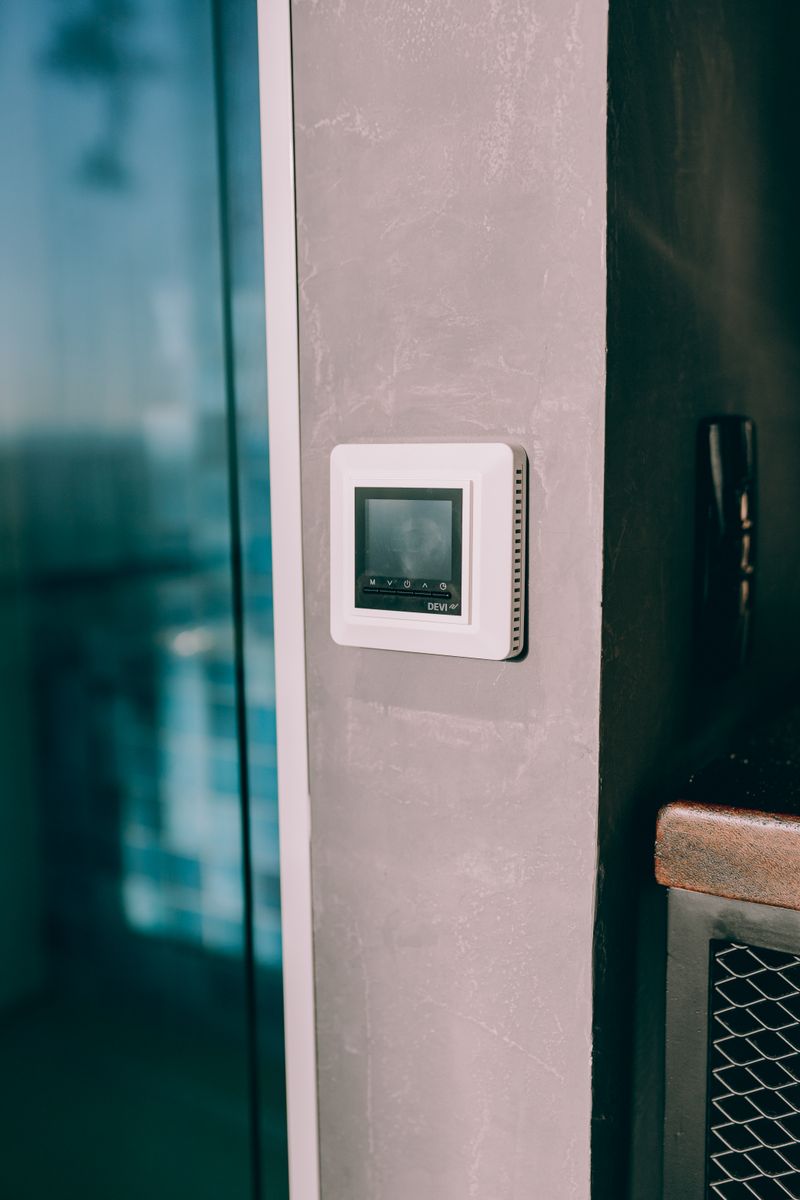
A smart thermostat can lower heating and cooling costs, but the savings do not come from the device alone. They come from better scheduling, fewer forgotten setbacks, smarter recovery, occupancy detection, and better visibility into runtime. Installed and configured correctly, a smart thermostat is one of the most cost-effective HVAC upgrades in many homes.
Installed carelessly, it can create problems: a missing C-wire can cause power issues, a heat pump can overuse auxiliary heat, and incompatible communicating systems may lose advanced features. This guide explains how smart thermostats work, what features matter, and how to choose one without creating HVAC control issues.
What makes a thermostat “smart”?
A basic programmable thermostat follows a schedule. A smart thermostat adds connected control and automation.
Common smart features include:
- Wi-Fi app control
- Learning schedules
- Occupancy sensing
- Geofencing based on phone location
- Remote room sensors
- Weather-aware recovery
- Energy reports
- Filter and maintenance reminders
- Voice assistant support
- Utility demand response compatibility
The value is consistency. Many households do not maintain manual schedules. Smart thermostats reduce the number of hours the system heats or cools an empty or sleeping home.
How much can a smart thermostat save?
Savings vary by climate, energy prices, insulation, equipment type, and behavior. ENERGY STAR has reported typical savings for certified smart thermostats, and the Department of Energy notes that thermostat setbacks can reduce heating and cooling energy use when applied consistently.
You are most likely to save when:
- The old thermostat was not programmed.
- Someone often forgets to set back temperatures.
- The home has predictable away periods.
- Heating and cooling bills are high.
- The system is not already managed carefully.
Savings are usually smaller when:
- Someone is home all day.
- The old thermostat was already programmed well.
- The climate is mild.
- The home has very low HVAC runtime.
- Comfort settings are not allowed to drift.
Smart thermostat feature comparison
| Feature | Best for | Watch-out |
|---|---|---|
| Learning schedule | Households with regular routines | May need manual correction |
| Geofencing | Variable work and travel schedules | Requires phone location permissions |
| Remote sensors | Homes with hot/cold rooms | Sensors do not fix bad ductwork |
| Energy reports | Tracking runtime and behavior | Estimates are not utility-grade measurements |
| Humidity display | Cooling comfort and IAQ | Display does not dehumidify by itself |
| Heat pump balance | Heat pump homes | Must be configured correctly |
| Demand response | Utility rebate programs | May allow temporary setpoint adjustments |
Compatibility comes first
Before buying, confirm that the thermostat supports your system type.
Check for:
- Conventional gas furnace and AC
- Heat pump with or without auxiliary heat
- Dual-fuel heat pump and furnace
- Multi-stage heating or cooling
- Humidifier or dehumidifier control
- Ventilator control
- Millivolt systems
- Line-voltage electric baseboard systems
- Proprietary communicating equipment
Many smart thermostats do not directly support line-voltage baseboard heat without a special relay system. Some high-end communicating HVAC systems use manufacturer-specific controls; replacing them with a generic smart thermostat can disable variable-speed or diagnostic features.
The C-wire issue
Most smart thermostats need continuous 24-volt power, commonly supplied by a C-wire. Older thermostats may have used only batteries and switched wires, leaving no C-wire connected.
Options include:
- Use an unused conductor in the thermostat cable as C, if available.
- Install the manufacturer’s power adapter.
- Run a new thermostat cable.
- Use a model designed for power sharing, if compatible.
Power stealing can cause nuisance issues on some systems, including relay chatter, Wi-Fi dropouts, or equipment cycling. If wiring is unclear, hire a technician.
Heat pump settings matter
Smart thermostats can save or waste money on heat pump systems depending on setup. The main risk is unnecessary auxiliary heat. Electric resistance backup heat is much more expensive to run than heat pump heating in many conditions.
Important settings may include:
- Compressor lockout temperature
- Auxiliary heat lockout temperature
- Balance point
- Recovery behavior
- Defrost interaction
- Dual-fuel switchover temperature
Do not copy settings from another home. Ask your installer to configure the thermostat based on equipment capacity, climate, and backup heat type.
The Ecobee SmartThermostat Premium is a strong choice for many heat pump homes because it supports remote sensors and detailed configuration. Google Nest models are popular for learning schedules and simple app control. Honeywell Home models are often a good fit for homeowners who want a more traditional interface with smart features.
Remote sensors: useful, not magic
Remote sensors help when the main thermostat is in a hallway, near a draft, or far from occupied rooms. They can average temperatures or prioritize occupied rooms, depending on the model.
They are useful for:
- Bedrooms that run warmer or cooler than the hallway
- Home offices used during the day
- Nurseries
- Open living spaces
- Homes where the thermostat gets sun exposure
They do not solve:
- Closed rooms with no return path
- Undersized ducts
- Leaky ducts
- Missing insulation
- Oversized equipment
If a room has weak airflow, fix airflow first. Sensors can reduce over-conditioning, but they cannot move air through a bad duct run.
Installation checklist
If you are comfortable with low-voltage wiring, many smart thermostats can be DIY-installed. Stop and call a professional if wires are unlabeled, the system is complex, or you have heat pump/dual-fuel equipment and are unsure of staging.
Basic steps:
- Turn off HVAC power at the breaker.
- Take a clear photo of existing thermostat wiring.
- Label each wire by terminal, not wire color alone.
- Confirm compatibility with the thermostat manufacturer’s checker.
- Install the base plate and connect wires.
- Restore power and complete setup.
- Test heating, cooling, fan, and auxiliary heat if applicable.
- Monitor the first few days for short cycling or error messages.
Do not guess at thermostat wiring. Miswiring can blow a low-voltage fuse, damage a transformer, or start equipment incorrectly.
Privacy and utility programs
Smart thermostats collect occupancy, schedule, temperature, and runtime data. Review privacy settings and account permissions. If you enroll in a utility demand response program, understand when the utility can adjust setpoints and how to opt out of an event.
Demand response rebates can be worthwhile, but the comfort tradeoff should be clear before you enroll.
Sources and further reading
- ENERGY STAR: Smart thermostats
- Department of Energy: Programmable thermostats
- ENERGY STAR: Heating and cooling
Related articles
- Energy-Efficient HVAC Upgrades
- How Heat Pumps Work and When to Consider One
- HVAC Zoning Systems Explained
- How to Lower Your Heating Bill
Bottom line
A smart thermostat is worth it when it controls runtime consistently and matches your HVAC system. Confirm compatibility, solve the C-wire question, configure heat pump or dual-fuel settings carefully, and use schedules or geofencing that fit real household behavior. The thermostat is a control upgrade, not a substitute for maintenance, airflow, or insulation.

ThermalTechPro Editorial Team
Independent trade-focused editorial team